Search This Blog

Showing posts with label jquery. Show all posts

Wednesday, 3 July 2013

jQuery: How to Strip/Remove HTML tags

In this short post, find jQuery code to strip/remove HTML tags. To remove HTML tags, use text() function which returns only the text content and ignores the HTML portion.
console.log($('#dvTest').text());
You can also strip/remove HTML tags from any variable as well as text() is jQuery function, so the variable needs to be converted into a jQuery object so that text() can be used.
var str = '<div>Sample <u>HTML</u> <b>Text</b> with <i>tags</i></div>';
console.log($(str).text());
Feel free to contact me for any help related to jQuery, I will gladly help you.

Monday, 1 July 2013

Latest jQuery Plugins released in June 2013


Today we bring a list of latest jQuery plugins released in June 2013. These plugins are fresh, interesting, simple and lightweight. You may find them useful for your next project!!!

Related Post:


SMINT

Smint is a simple jQuery plugin that helps with the navigation on one page style websites. It has 2 main elements, a sticky navigation bar that stays at the top of the page while you scroll down and menu buttons that automatically scroll the page to the section you clicked on.


CollagePlus

This plugin for jQuery will arrange your images to fit exactly within a container. You can define the padding between images, give the images css borders and define a target row height.


jQuery TourBus

Yet another jQuery tour/walkthrough plugin!


Jumble

Jumble is a jQuery plugin that jumbles up the colours of your text - and can animate them.


Progression.js

Progression.js is a jQuery plugin that gives users real time hints & progress updates as they complete forms.


Hide/show password plugin

Hide/Show Password plugin lets you easily hide and reveal the contents of a password input field. It's based on a mobile design pattern.


Draggable Background

A jQuery plugin to make background images draggable.


Feel free to contact me for any help related to jQuery, I will gladly help you.

Thursday, 20 June 2013

Use protocol less URL for referencing jQuery

Learnt something new today and thought of sharing. Most of us, include the reference of jQuery library (if Google CDN is used) like this,
http://ajax.googleapis.com/ajax/libs/jquery/1.9.1/jquery.min.js
As you can see it is using HTTP protocol. The advantage of Google CDN files are cached up to one year which means that your users may not need to download jQuery at all. But when you move from HTTP to HTTPS pages, then you need to make sure that you are using https protocol for referencing jQuery as pages served via SSL should contain no references to content served through unencrypted connections.

Related Post:
And take a note that content served via SSL are not cacheable. Browsers will simply ignore content served over SSL for caching. So you need to make sure that if you are moving from HTTP to HTTPS url, use correct protocol for referencing jQuery library as well.

The better approach would be to use "protocol-less" URL.
//ajax.googleapis.com/ajax/libs/jquery/1.9.1/jquery.min.js
It looks strange and initially I also felt the same but "protocol-less" URL is the best way to reference third party content that’s available via both HTTP and HTTPS. When a URL’s protocol is omitted, the browser uses the underlying document’s protocol instead.

Thus, using the protocol-less URL allows a single script reference to adapt itself to what’s most optimal: HTTP and it’s full caching support on HTTP pages, and HTTPS on secured pages so that your users aren't confronted with a mixed content warning.

Must Read:
Feel free to contact me for any help related to jQuery, I will gladly help you.

Wednesday, 19 June 2013

Ignored powerful shortcuts of jQuery

Many developers ignore shortcuts and power of jQuery and I myself being a victim of some of the useful, handy but yet ignored shortcuts of jQuery. These are not some advance or complex shortcuts but I guess these are used a lot.

Consider, below jQuery code lines.
$("#elm").css("display", "none"); //Line 1
$("#elm").css("display", ""); //Line 2
$("#elm").html(""); //Line 3
Above code lines are very common but its unfortunate because some faster and more readable shortcuts available, yet ignored. Find below jQuery code lines that does the exactly same thing but these are more readable and fast.
$("#elm").hide(); //Line 1
$("#elm").show(); //Line 2
$("#elm").empty(); //Line 3
Related Post: There are many more examples which you can find in your code. For example, to add CSS Class to any element
$("#elm").prop("class", "cssClass");
where the better approach would be,
$("#elm").addClass("cssClass");
Another example is of setting height and width,
$("#elm").css("height", "100px"); //Line 1
$("#elm").css("width", "100px"); //Line 2
using in-built jQuery functions,
$("#elm").height(100); //Line 1
$("#elm").width(100); //Line 2
Another common situation is of toggling (show/hide) of element. For example,
if($("#elm").is(":visible")) 
$("#elm").css("display", "none");
else
$("#elm").css("display", "");
where the better approach is,
$("#elm").toggle();
You can find many such situation where in-built jQuery functions can be used. Hope you find this useful and if you are also ignoring these shortcuts, then you need to move on...

Feel free to contact me for any help related to jQuery, I will gladly help you.

Tuesday, 18 June 2013

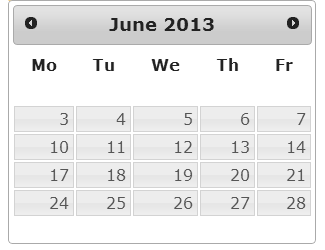
Remove Weekends From jQuery UI Datepicker

In this post, find jQuery code to remove weekends rather than disabling them from jQuery UI Datepicker. This is quite useful when you don't want to allow users to select weekends.


To disable weekends, all you need to do is to override ".ui-datepicker-week-end" css class and set display to none.
.ui-datepicker-week-end {
display:none
}
Related Post:

There is a small problem which you may face when you override this css class. Which is that it applies to all the datepickers present on the page. If you want the same behavior for all the datepickers then you don't have to worry but when this behavior is required only for specific datepicker, then above solution will not work.

To remove weekends for specific datepicker, you need to hide the ".ui-datepicker-week-end" on focus and blur event.
$('#txtNoWeekend').datepicker();

$("#txtNoWeekend").focus(function () {
$(".ui-datepicker-week-end").hide();
});

$("#txtNoWeekend").blur(function () {
$(".ui-datepicker-week-end").hide();
});
Feel free to contact me for any help related to jQuery, I will gladly help you.

Monday, 17 June 2013

jQuery to redirect page after specific time interval

You must have come across any website which uses a webpage with some annoying advertisement and a message that says "You will be redirected to actual page after X seconds". This can be easily implemented with jQuery. In this post, find jQuery code to redirect user to another webpage after specific time interval or few seconds.

The below jQuery code uses JavaScript setInterval which executes a function, over and over again, at specified time intervals. So all is required is to set the setInterval as 1 second and then minus the counter from actual time interval. When it reach to zero second , simply redirect to specific path.

Related Post:
$(document).ready(function () {
window.setInterval(function () {
var iTimeRemaining = $("#spnSeconds").html();
iTimeRemaining = eval(iTimeRemaining);
if (iTimeRemaining == 0) {
window.location.href = "http://jquerybyexample.blogspot.com/";
}
else {
$("#spnSeconds").html(iTimeRemaining - 1);
}
}, 1000);
});
Feel free to contact me for any help related to jQuery, I will gladly help you.
Thursday, 13 June 2013

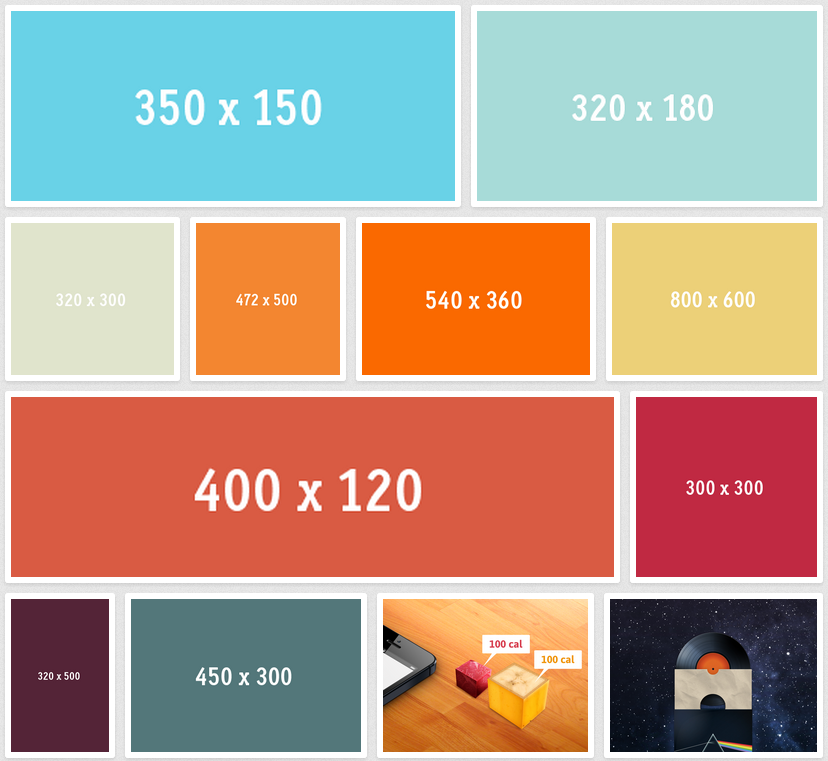
Create Collage using jQuery

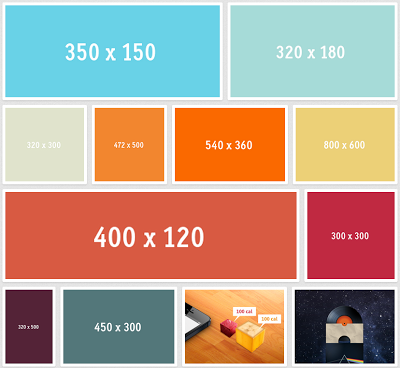
In this post, find out how to create a collage using a jQuery plugin called "CollagePlus". This plugin for jQuery will arrange your images to fit exactly within a container. You can define the padding between images, give the images css borders and define a target row height.


How to use it?
// example HTML image gallery
<div class="Collage">
<img src="example1.jpg" />
<img src="example2.jpg" />
<img src="example3.jpg" />
</div>

//Call jQuery plugin function to create collage.
$('.Collage').collagePlus();
CollagePlus relies on all images being loaded before it can calculate the layout. It does not run off image sizes specified in the DOM.
Feel free to contact me for any help related to jQuery, I will gladly help you.
Wednesday, 12 June 2013

Best jQuery Rating Plugins

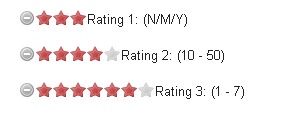
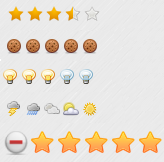
Find collection of 8 Free & Best jQuery Rating Plugins. These plugins are easy to use and can be implemented in your website for any kind of Poll, Vote or to include ratings. Enjoy!!!!

Related Post:

jQuery Raty


jQuery Bar Rating Plugin


jQuery quickie


jQuery SimpleRating plugin


jQuery Star Rating Plugin


RateIt


jRating


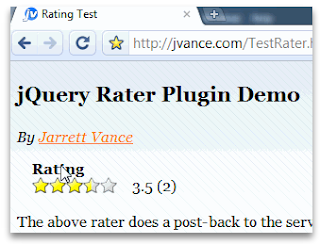
jQuery Rater


Feel free to contact me for any help related to jQuery, I will gladly help you.

Check for '#' hash in URL using jQuery

In this short post, find jQuery code to check if URL contains "#" (hash) or not. This can be checked via location.hash property provided by JavaScript and same can be used in jQuery.
$(document).ready(function(){
if(window.location.hash) {
// # exists in URL
}
else {
// No # in URL.
}
});
Feel free to contact me for any help related to jQuery, I will gladly help you.

Tuesday, 11 June 2013

jQuery Plugins For Language Translation

Find list of jQuery plugins which can be integrated in your website for language translation. These are useful if you are building a multilingual website which offers many language to end user. You can also use this plugins as Translator as well. Enjoy!!!

Related Post:

jTextTranslate


Lingua Localization


jQuery-lang-js


This jQuery plugin allows you to create multiple language versions of your content by supplying phrase translations from a default language such as English to other languages.


jQuery.tr


jQuery.tr is a jQuery plugin which enables you to translate text on the client side. You can get or set the dictionary the plugin uses by calling $.tr.dictionary. It is a object made by key-value pairs, with the original sentence or string id as key, and the translated sentence as value.

Feel free to contact me for any help related to jQuery, I will gladly help you.

Monday, 10 June 2013

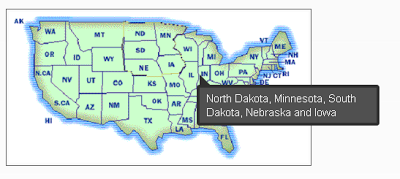
5 Free jQuery Image Map Marker Plugins

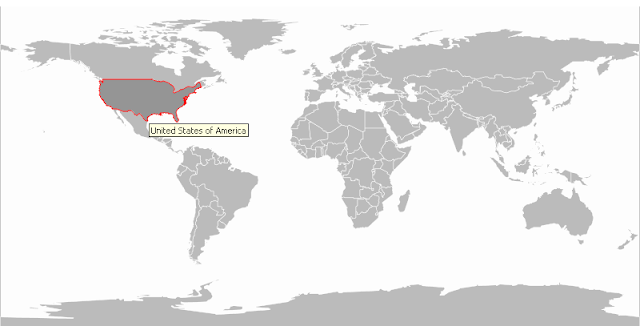
Here is a complied list of 5 Free jQuery image map marker plugins which are quite handy if you wish to highlight or make your maps interactive using marker. Not only maps, with these plugins you can mark any picture to make it interactive with descriptions.

Related Post:

ImageMapster


ImageMapster is a jQuery plugin that lets you activate HTML image maps without using Flash. It works just about everywhere that JavaScript does, including modern browsers, Internet Explorer 6, and mobile devices like iPads, iPhones and Androids.


jQuery Map Marker Plugin


This plugin makes it easy to put multiple markers on Map using Google Map API V3. Map Marker is very useful when you have a list of data & you want to show all of them on Map too.


iPicture


iPicture is a jQuery Plugin to create interactive pictures with extra descriptions.


Maphilight


Maphilight is a jQuery plugin that adds visual hilights to image maps.


qTip


qTip is an advanced tooltip plugin for the ever popular jQuery JavaScript framework.


Feel free to contact me for any help related to jQuery, I will gladly help you.

Thursday, 6 June 2013

Get Client IP address using jQuery

In this post, find jQuery code to get Client's IP address. There are 2 free online services which allows you to get Client IP address.

1. jsonip.com
: is a free utility service that returns a client's IP address in a JSON object with support for JSONP, CORS, and direct requests. It serves millions of requests each day for websites, servers, mobile devices and more from all around the world.

All you need to do is to make a call to jsonip.com.
$(document).ready(function () {
$.get('http://jsonip.com', function (res) {
$('p').html('IP Address is: ' + res.ip);
});
});

2. Smart-IP.net
: Smart IP for today is one of the leading services providing to it's users all the required information about IP-addresses and everything related to them.
$(document).ready(function () {
$.getJSON('http://smart-ip.net/geoip-json?callback=?', function(data) {
$('p').html('My IP Address is: ' + data.host);
});
});
Along with the IP address, this service also provide Geo location details as well like Country, latitude, longitude etc. Following are the properties which are returned as JSON response by this service.
data.host;
data.countryName;
data.countryCode;
data.city;
data.region;
data.latitude;
data.longitude;
data.timezone;
Feel free to contact me for any help related to jQuery, I will gladly help you.
Wednesday, 5 June 2013

10 jQuery Shopping Cart Plugins

Find below a complied list of 10 free jQuery shopping cart plugin and tutorial that are suitable for e-commerce website. These plugins can be used for showing Product images, for image zoom, 360 degree display of product, integrate with Shopping Cart for payment, showing list of stores and for many other features.

Related Post:

Smart Cart


Smart Cart is a flexible and feature rich jQuery plug-in for shopping cart. It makes the add-to-cart section of online shopping much easy and user friendly. It is compact in design, very easy to implement and only minimal HTML required.


jQuery Store Locator


This jQuery plugin takes advantage of Google Maps API version 3 to create an easy to implement store locator. No back-end programming is required, you just need to feed it KML, XML, or JSON data with all the location information.


jPayPalCart jQuery Plugin


jPayPalCart is a simple to integrate JQuery plugin that allows you to create a fully functioning Paypal shopping cart without using clunky server-side page refreshes. The plugin supports PayPal Website Payment Standard.


Multi-Item Slider


jQuery plugin for creating category slider, best for eCommerce websites.


Credit Card Validator


jQuery Credit Card Validator detects and validates credit card numbers. It’ll tell you the detected credit card type and whether the number length and Luhn checksum are valid for the type of card.


j360


j360 is a jQuery plugin designed to display 360 view of product using a set of images.


Ajax Paypal Cart JQuery Plugin


AJAX PayPal Cart is a easy to use JQuery plugin for web developer to add a full function shopping cart in their website. The AJAX cart can included a cart widget which allow display of cart information easily. Support PayPal Website Payment Standard.


jQZoom


JQZoom is a javascript image magnifier built at the top of the popular jQuery javascript framework. jQzoom is a great and a really easy to use script to magnify what you want.


LightBox 2


Lightbox is a simple, unobtrusive script used to overlay images on top of the current page. It's a snap to setup and works on all modern browsers. It present images in a slick window, while darkening the rest of the page. It can be used to show various images of single product.


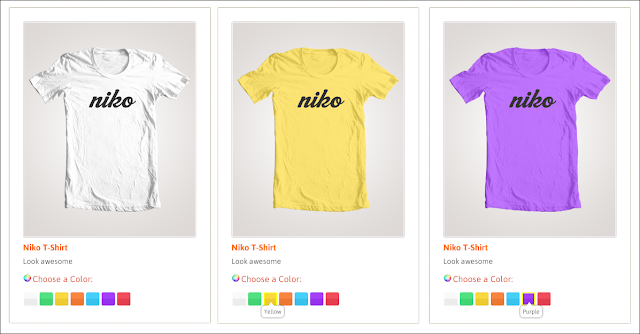
productColorizer


productColorizer is a light-weight solution for users to quickly preview a product in different colors


Feel free to contact me for any help related to jQuery, I will gladly help you.
Tuesday, 4 June 2013

jQuery .end() and Chaining

Before you go further, I assume that you know What is chaining in context of jQuery? If not, then first read "What is Chaining in jQuery?". To summarize Chaining in jQuery means to connect multiple functions, events on selectors. Main advantage of using chaining is that it makes code look clean and gives better performance. You should make a habit of using chaining.

Related Post:

You will find that chaining is very easy to implement and indeed it is. But consider a scenario, where in a <div> element, find all <p> and <span> elements and assign background color to them. Below jQuery code will exactly do the needful.
$(document).ready(function () {
$('div').find('p').css("background", "yellow");
$('div').find('span').css("background", "pink");
});
Can this be done using chaining? The first line of code $('div').find('p'), will select all the <p> tag element in <div> and change background color. Since using find() we have filtered out all <p> elements so we need to use selector again to select <span>tag element and we can't use chaining. Fortunately, jQuery has .end() function which end the most recent filtering operation in the current chain and return to its previous state. Like,
$(document).ready(function () {
$('div')
.find('p').css("background", "yellow")
.end()
.find('span').css("background", "pink");
});
This chain searches for <p> tag element in <div> and turns their backgrounds yellow. Then .end() returns the object to its previous state which was before the call to find(), so the second find() looks for <span> inside <div>, not inside <p>, and turns the matching elements' backgrounds to pink. The .end() method is useful primarily when exploiting jQuery's chaining properties.
See Complete Code
Feel free to contact me for any help related to jQuery, I will gladly help you.
Monday, 3 June 2013

Cool jQuery Plugins released in May 2013

Today we bring a list of latest jQuery plugins released in May 2013. These plugins are fresh, interesting, simple and lightweight. You may find them useful for your next project!!!

Related Post:

jQuery Swatches


This is a jQuery plugin that turns a single div into a sweet color swatch.


Magnific-Popup


Magnific Popup is a free responsive jQuery lightbox plugin that is focused on performance and providing best experience for user with any device.


Least.js


least.js is a Random & Responsive HTML 5, CSS3 Gallery with LazyLoad.


Waterfall


Waterfall is a powerful and customizable jQuery plugin for creating dynamic and responsive Pinterest like layout which supports infinite ajax scroll.


TimeTo


timeTo is an easy-to-use and customizable jQuery plugin for creating countdown timers or digital clocks with a lot of options and callback support.


FlipClock


FlipClock.js is a jQuery plugin with CSS3 animations to add counter, timer and clock with smooth flip effect.


Zerobox


Lightweight, animated lightbox plugin for Jquery JavaScript library.


Multiple Select


Multiple select is a jQuery plugin to select multiple elements with checkboxes :).


Feel free to contact me for any help related to jQuery, I will gladly help you.

Thursday, 30 May 2013

6 Best jQuery Vertical & Horizontal News Ticker Plugins

News ticker are one of the most popular ones of them in web design. It is a useful, tiny and handy feature as it can be used to display news, notification, tweets, recent/ popular posts or articles and many more things. Below you will find 6 best jQuery Vertical & Horizontal News Ticker Plugins that are perfect to implemented in your sites.

Related Post:

1. jQuery News Ticker


Taking inspiration from the BBC News website ticker, jQuery News Ticker brings a lightweight and easy to use news ticker to jQuery.


2. Totem


Totem is a jQuery plugin that lets you create an animated vertical ticker. Totem makes vertical tickers easy to implement by turning a list of items into an animated ticker that auto-advances and specifying anchors for stop, start, next, and previous navigation links.


3. Modern News Ticker [Paid]


Modern News Ticker is a modern, powerful, flexible, fast, easy to use and customize news ticker. It offers a varied number of features while still being lightweight and very easy to work. It comes with 4 different effects, 4 different layouts and 15 different themes.


4. jQuery – Easy ticker Plugin


jQuery easy ticker is a news ticker like plugin, which scrolls the list infinitely. It is highly customizable with lot of features and it is cross browser supported.


5. liScroll


liScroll is a jQuery plugin that transforms any given unordered list into a scrolling News Ticker


6. vTicker


vTicker is easily added to your existing web page by including jQuery, the vTicker plug-in javascript file and then by simply calling the vTicker plug-in with the selector(s) you wish to create a vTicker with.


Feel free to contact me for any help related to jQuery, I will gladly help you.
Wednesday, 29 May 2013

Scroll Page Automatically by few pixels after every few seconds using jQuery

It would be nice feature for web pages if the web page scrolls automatically by few pixels after every 2, 3 or 5 seconds so that the users don't have to scroll it. This is quite useful for webpages having articles, posts, very long text or lengthy pages.

So, In this post you will find jQuery way to "Scroll Page Automatically by few pixels after every few seconds".

Related Post:

For the demo purpose, we will be scrolling the webpage by 200 pixels and after every 2 seconds. To do this, we need to use JavaScript "setInterval" method, which is responsible for calling a function/particular code after x seconds. So in this case, it would be 2 seconds.

Then, all you want is to get window scrollTop value and add 200 to it and then just scroll it.. Simple and Easy!!!!!
$(document).ready(function () {
setInterval(function () {
var iScroll = $(window).scrollTop();
iScroll = iScroll + 200;
$('html, body').animate({
scrollTop: iScroll
}, 1000);
}, 2000);
});
Now, there is an issue which above approach. That is, once you reach at the bottom of the page you setInterval will keep on calling the function after every 2 seconds which is not desired. One way is to disable the automatic scrolling once user reaches at bottom of the page.

To do this, check if user has reached to bottom of the page and then call "clearInterval()" to stop setInterval.
$(document).ready(function () {
var myInterval = false;
myInterval = setInterval(function () {
var iScroll = $(window).scrollTop();
if (iScroll + $(window).height() == $(document).height()) {
clearInterval(myInterval);
} else {
iScroll = iScroll + 200;
$('html, body').animate({
scrollTop: iScroll
}, 1000);
}
}, 2000);
});
If the above solution don't work, then please make sure that you have include document type at top of the page.
<!DOCTYPE HTML>
The issue with above approach is that it gets executed only once. As once user reaches at bottom of the page, then setInterval is stopped. What if you want to have it again once user reaches at top of the page? Below jQuery code block exactly does the same thing.

As once bottom of the page is reached, then setInterval is stopped. So need to find a way to enable it again. And that can be done in $(window).scroll event. In this event, check if user has reached at top of the page. If yes, then reset setInterval.. That's it..

Note: For demo, I have set 500 as pixels to scroll.
$(document).ready(function () {
var myInterval = false;
myInterval = setInterval(AutoScroll, 2000);

function AutoScroll() {
var iScroll = $(window).scrollTop();
iScroll = iScroll + 500;
$('html, body').animate({
scrollTop: iScroll
}, 1000);
}

$(window).scroll(function () {
var iScroll = $(window).scrollTop();
if (iScroll == 0) {
myInterval = setInterval(AutoScroll, 2000);
}
if (iScroll + $(window).height() == $(document).height()) {
clearInterval(myInterval);
}
});
});
If the above solution don't work, then please make sure that you have include document type at top of the page.
<!DOCTYPE HTML>
Feel free to contact me for any help related to jQuery, I will gladly help you.

Tuesday, 28 May 2013

How to make multiple select dropdown list using jQuery


In this post, find a jQuery plugin called "Multiple Select" which allows to make/create/convert a simple dropdown list to multiple select/multi-select dropdown. "Multiple Select" is a jQuery plugin to select multiple elements with checkboxes :).


Related Post:


Options:

  • Default option allows to show checkbox.

  • Ability to grouping elements

  • Features to show multiple items in single row

  • Select All options

  • Feature to show placeholder


Browser Compatibility:

  • IE 7+

  • Chrome 8+

  • Firefox 10+

  • Safari 3+

  • Opera 10.6+


This plugin also provides events to disable and enable the dropdown element.

Feel free to contact me for any help related to jQuery, I will gladly help you.